Enter Password to Unlock 30/30 Attempts Remaining Lock Screen Latest Version 2026
Enter Password to Unlock 30/30 Attempts Remaining Lock Screen
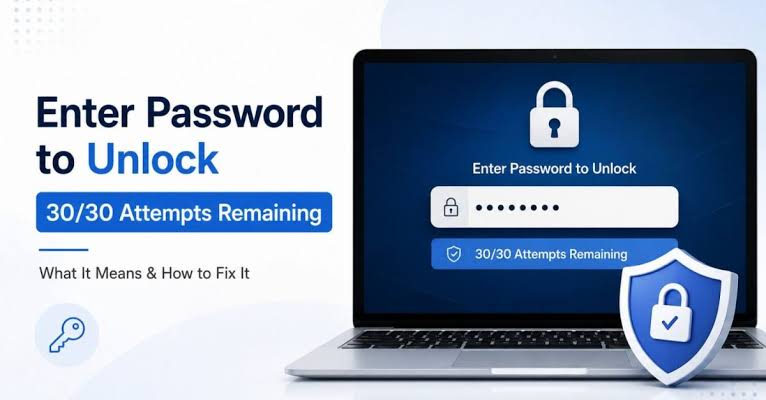
The “Enter Password to Unlock 30/30 Attempts Remaining” message is a security-related lock screen that can appear on certain Android smartphones, particularly older LG models. It can prevent users from accessing their phones after a restart or when the device requests the original password to unlock encrypted storage. If you are experiencing this problem, it is important to understand why it appears and which recovery options are suitable for your device. This guide explains the common causes, possible solutions, and precautions to take before attempting any reset or repair.
What Is the 30/30 Attempts Remaining Lock Screen?
The 30/30 attempts remaining screen indicates that the phone is requesting a valid password while displaying a limited number of permitted attempts. It is commonly associated with Secure Startup and device encryption on certain older Android phones.
When this screen appears, the device may require the original PIN, password, or other configured credential before Android can finish starting. Fingerprint recognition and other biometric options might not be available until the primary password has been entered.
The exact behavior depends on the smartphone model, Android version, and security settings. Therefore, it is important to identify the device before selecting a recovery method.
Why Does This Lock Screen Appear?
Several situations may cause this message to appear:
- Forgotten password: You may no longer remember the password configured on the device.
- Secure Startup protection: The phone may require a password after restarting to unlock encrypted storage.
- Repeated incorrect entries: Incorrect password attempts may activate additional security restrictions.
- System restart or update: The device may request the primary credential after rebooting.
- Previously owned smartphone: A second-hand phone may still require credentials associated with its previous owner.
- Software problems: Certain system errors may affect startup or password verification.
Understanding the cause can help you avoid unnecessary resets and protect important personal data.
How to Fix Enter Password to Unlock 30/30 Attempts Remaining?
1. Enter the Correct Password Carefully
- The Tool If you remember setting a password, PIN, or pattern, check that you are entering the original credential associated with the startup security screen. Pay attention to keyboard layout, capitalization, and any differences between your regular screen lock and startup password.
- Avoid repeatedly guessing. The remaining attempt count may decrease, and the consequences of exhausting the available attempts vary by device.
2. Check for an Official Recovery Option
- Some older Android versions offer a “Forgot Password,” “Forgot Pattern,” or backup PIN option. If your device displays one, follow the instructions provided by the operating system.
- These options are not available on every phone. Google account verification may help on certain older devices, but it is not a universal way to recover an encrypted Android startup password.
3. Identify Your Phone Model and Android Version
- Before using repair software or attempting recovery, identify the exact device model and, if known, its Android version. Different manufacturers use different security systems and recovery procedures.
- This information can help you determine whether an official support procedure exists and whether a proposed solution is compatible with your phone.
4. Contact an Authorized Repair Professional
- If the correct password is unavailable and no built-in recovery option appears, consult the manufacturer’s support service or a reputable repair professional. Explain that the device displays the 30/30 attempts remaining message and tell them whether preserving your data is essential.
- Be careful with software that promises guaranteed unlocking without data loss. Results depend on device compatibility, encryption, and security configuration.
5. Consider a Factory Reset Only as a Last Resort
- A factory reset may restore access to some locked Android devices, but it generally erases local data. Photos, messages, downloads, and other files that have not been backed up may be lost.Enter Password to Unlock 30/30 Attempts Remaining.
- After the reset, the phone may also request the Google account previously associated with it through Factory Reset Protection (FRP). Make sure you know the required account credentials before proceeding.
- If your data is valuable, do not reset or flash the phone until you have explored the available data-preserving options.
Can You Fix the Error Without Losing Data?
- A data-preserving solution may be possible if you remember the correct password or your device offers a supported recovery option. However, if the phone uses encryption that depends on the original credential, removing the lock without that credential may not be possible.
- The safest approach is to avoid unnecessary password attempts, identify the exact model, and seek professional advice before performing operations that could erase data.
Tips to Prevent This Problem:
You can reduce the risk of encountering this issue again by following these precautions:
- Keep your device password stored securely.
- Back up important files regularly.
- Make sure you can access your associated Google account.
- Learn how Secure Startup works on your particular phone.
- Avoid entering random passwords when the attempt counter is visible.
- Verify compatibility before installing firmware or using mobile repair utilities.
Frequently Asked Questions:
What does 30/30 attempts remaining mean?
It indicates that the phone is requesting a valid credential and displaying an attempt limit. The precise restrictions depend on the device’s security implementation.
Is this problem common on LG phones?
Yes, the message is commonly associated with certain older LG smartphones and their startup security features. Similar password-protection issues can occur on other Android devices.
Will restarting the phone remove the lock?
A restart usually does not remove a forgotten password or resolve an encryption-related lock. It may help only if the screen is caused by a temporary system issue.
Will a factory reset unlock my phone?
A factory reset may remove the local screen lock on compatible devices, but it erases local data and may trigger account verification during setup.
Can I recover my data without the password?
That depends on the device and its encryption method. If the data requires the original credential for decryption, there may be no supported way to recover it without that credential.
Final Words:
The “Enter Password to Unlock 30/30 Attempts Remaining” message is a security feature or startup protection issue on certain Android smartphones, not necessarily a sign that the phone is damaged. Start by checking the correct password and any official recovery options. If those options are unavailable, identify your exact model and seek qualified support before attempting a factory reset. Taking these precautions can help you avoid unnecessary data loss and choose a recovery method appropriate for your device.