MiFlash Prime Edition Tool Download Free Flash Tool for Redmi & Mi Devices
MiFlash Prime Edition Tool Download – Free Flash Tool for Redmi and Mi Devices
Introduction to MiFlash Prime Edition Tool
MiFlash Prime Edition Tool Download is a Windows-based utility associated with firmware flashing and software maintenance for selected Xiaomi, Redmi, and POCO smartphones. It is designed for mobile repair technicians and experienced users who need to work with compatible firmware packages and troubleshoot certain software-related device problems.
Third-party descriptions of MiFlash Prime Edition advertise features such as firmware flashing, support for selected Qualcomm Snapdragon devices, and additional servicing options. Some releases are also advertised with authentication-related capabilities. These claims should be verified against the specific package because MiFlash Prime Edition is a third-party variant and should not automatically be treated as an official Xiaomi release.
What Is MiFlash Prime Edition Tool?
MiFlash Prime Edition Tool Download is based on the general concept of desktop firmware flashing tools used to install compatible system software on supported Xiaomi devices. Firmware flashing can help restore a phone affected by certain software problems, reinstall compatible software, or recover from some boot-related errors.
The Prime Edition name appears in third-party mobile servicing listings that describe modified features and expanded device compatibility. The available functions may differ between releases, and a feature advertised for one version may not be present or functional in another.
Users should distinguish this third-party edition from Xiaomi’s established Mi Flash Tool and verify the authenticity of any installer before using it.
Main Features of MiFlash Prime Edition Tool:
1. Firmware Flashing
- Firmware flashing is the primary purpose associated with MiFlash Prime Edition Tool Download. A compatible firmware package contains the system files required for a supported installation or restoration process.
- Using the correct firmware is essential. Packages must match the device model, hardware variant, and appropriate software configuration. An incompatible package can cause boot failures or other serious problems.
2. Xiaomi, Redmi, and POCO Device Support
- Third-party feature lists mention selected Xiaomi Mi, Redmi, and POCO models. Some descriptions focus on Qualcomm Snapdragon-powered devices, but compatibility depends on the particular version and supported hardware.
- Do not assume that every Xiaomi phone or every Snapdragon chipset is supported. Check the exact model number and published compatibility details before proceeding.
3. Software Troubleshooting
- A compatible firmware flash may help resolve certain software-related problems, including some boot loops or corrupted system installations. However, flashing will not necessarily repair hardware damage, battery faults, or every cause of a phone failing to start.
- Diagnose the problem first and use a verified firmware package suitable for the device.
4. Fastboot Firmware Support
- Xiaomi’s established Mi Flash workflow is associated with installing compatible Fastboot ROM packages on supported devices. Fastboot is a device mode used for certain firmware and bootloader operations.
- Requirements vary by device. Many standard Fastboot flashing workflows require an appropriately unlocked bootloader, and some advanced servicing operations have additional authorization requirements.
5. Device Recovery and Maintenance
- Some third-party listings advertise MiFlash Prime Edition for recovering devices affected by software problems. Whether a particular phone can be recovered depends on its condition, supported connection mode, firmware availability, and the tool’s actual capabilities.
- A device with serious hardware damage or an inaccessible boot chain may require professional repair instead of a software utility.
6. Additional Servicing Claims
- Some releases are advertised with authentication-related functions and support for additional device models. These are third-party claims, not a guarantee that every operation will work or that the software is authorized by Xiaomi.
- Confirm the source, version, and feature documentation before relying on such claims. Do not assume that an authentication requirement can safely or legitimately be bypassed on every device.
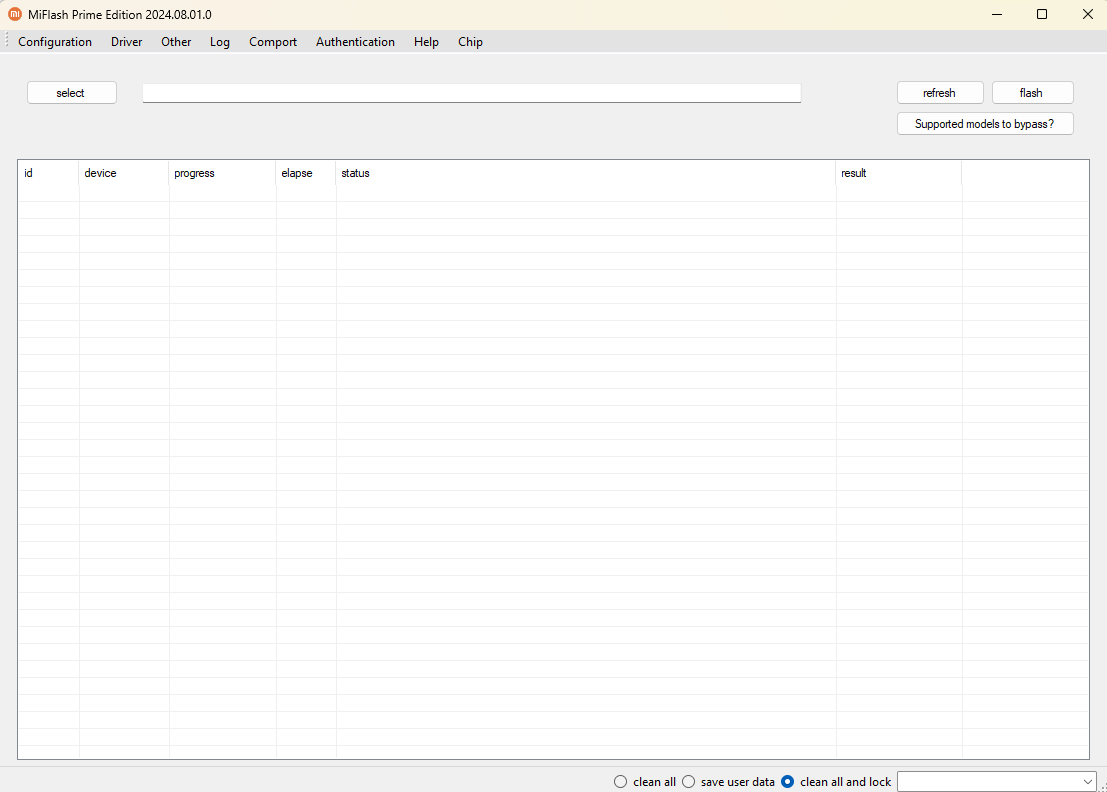
Compatible Devices and Requirements:
MiFlash Prime Edition Tool Download is associated with selected Xiaomi ecosystem devices, including models in the Mi, Redmi, and POCO families. The exact supported-device list varies across third-party releases.
Before using the tool, check:
- The exact device model and hardware variant
- The processor platform and connection mode
- The installed firmware and bootloader state
- The correct firmware package for the device
- Windows compatibility and required USB drivers
- The documented features of the specific release
A phone being listed by a third-party download page does not guarantee that all advertised functions are available for it.
System Requirements:
MiFlash Prime Edition Tool Download is generally distributed as desktop software for Windows. The precise requirements depend on the release.
A typical setup may require a compatible Windows computer, sufficient disk space, a reliable USB data cable, the appropriate device drivers, and the correct firmware files. Some operations may also require a specific device mode or additional authorization.
Check the documentation accompanying the package before installing or running the software.
Download and Installation Safety:
Download MiFlash Prime Edition only from a source you can verify. Since it is described in third-party listings as a modified or specialized edition, do not assume that every installer is official, safe, or unchanged.
Scan downloaded archives and installers with a trusted security application. Do not disable Windows Defender or other antivirus protection just to run an unverified file. If the package triggers suspicious warnings, stop and verify its authenticity.
Where possible, compare the available file information with trustworthy release documentation. Avoid installers that make unsupported promises of universal device support or guaranteed recovery.
Important Precautions Before Flashing:
Firmware flashing can erase personal data or make a phone unusable when the wrong files or settings are selected. Back up accessible information before proceeding and verify the exact model and firmware package.
Do not interrupt the flashing process while it is running. Be especially careful with options that erase user data or relock a bootloader, because these operations can have serious consequences if the firmware is not appropriate for the device.
For phones protected by Xiaomi account verification or other ownership safeguards, use official recovery and authorized service channels.
Advantages and Limitations:
MiFlash Prime Edition may be of interest to experienced technicians who work with compatible Xiaomi devices and need a Windows-based firmware servicing utility. Its advertised focus on flashing and selected additional functions may be convenient for supported repair workflows.
However, the reliability and compatibility of third-party editions cannot be assumed. Features may vary between versions, some claims may not be independently verified, and firmware operations always carry a risk of data loss or device damage.
Final Words:
MiFlash Prime Edition Tool Download is a third-party firmware flashing utility associated with selected Xiaomi, Redmi, and POCO devices. Published descriptions advertise Fastboot firmware installation, software troubleshooting, and additional servicing functions for compatible models.
Before using it, verify the download source, the exact release, device compatibility, and firmware requirements. For the most reliable guidance, consult Xiaomi’s official support documentation and use trusted firmware packages and authorized repair procedures.