Octoplus FRP Tool v.2.9.8.0 Latest Version 2026 Free Download
Octoplus FRP Tool v2.9.8.0 Latest Version 2026 Free Download
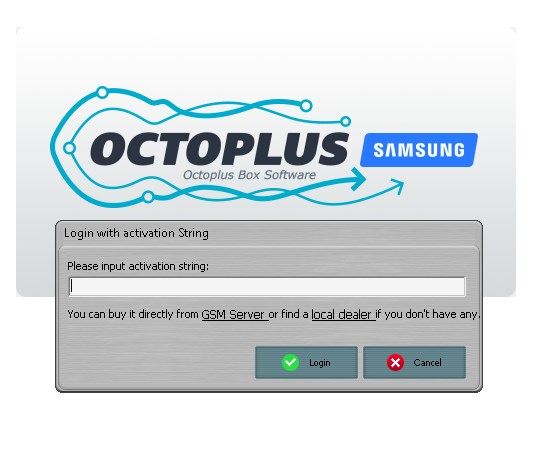
📱 Octoplus FRP Tool v2.9.8.0 is a mobile phone servicing utility designed to help technicians and advanced Android users perform various FRP-related operations and device maintenance tasks. FRP (Factory Reset Protection) is an Android security feature that protects personal information and prevents unauthorized access after a factory reset. Octoplus FRP Tool provides a collection of servicing functions that can assist with supported Android devices from different manufacturers.
🚀 One of the main purposes of Octoplus FRP Tool is to provide useful options for handling supported FRP-related servicing operations. The software is designed for mobile repair technicians who regularly work with Android smartphones and need specialized tools for device maintenance. Depending on the device model, Android version, chipset, and security patch level, available functions may vary.
🔧 Key Features of Octoplus FRP Tool v2.9.8.0:
Octoplus FRP Tool comes with several useful features for Android servicing and maintenance. Some of its main capabilities include:
- 📱 FRP Servicing: Provides supported FRP-related servicing functions for compatible Android devices.
- 🔓 Android Device Support: Works with selected smartphones from different Android manufacturers
- ⚙️ Device Information: Helps technicians identify connected devices and check relevant device information.
- 🔌 USB Connectivity: Uses USB connections to communicate with supported smartphones.
- 🛠️ Mobile Repair Operations: Offers useful servicing options for technicians working with Android devices.
- 📲 Samsung Device Support: Includes selected servicing functions for compatible Samsung smartphones.
- 💻 Windows Compatibility: Designed to operate on supported Windows computers.
- 🚀 User-Friendly Interface: Provides an organized interface to make available operations easier to access.
📲 Supported Android Devices:
Octoplus FRP Tool is designed for use with selected Android smartphones and tablets. Device compatibility depends on the supported models and software versions.
Some commonly encountered manufacturers include:
-
Samsung
-
Xiaomi
-
Huawei
-
Motorola
-
LG
-
Other supported Android brands
Please remember that not every model or Android security version is supported. Always check device compatibility before performing any servicing operation.
💻 System Requirements:
Before installing Octoplus FRP Tool v2.9.8.0, make sure your computer meets the necessary requirements.
-
Operating System: Windows 7, 8, 10, or 11
-
Processor: Intel or AMD processor
-
RAM: 2GB minimum
-
Storage: Sufficient free disk space
-
USB Connection: Required for connecting Android devices
-
Drivers: Appropriate USB drivers for the connected device
-
Internet Connection: May be required for certain functions or updates
⚙️ How to Install Octoplus FRP Tool?
Follow these general steps to prepare the software on your Windows computer:
-
Download the Octoplus FRP Tool setup from a trusted source.
-
Extract the downloaded archive if it is compressed.
-
Open the installation folder.
-
Run the setup file with administrator permissions.
-
Follow the installation instructions displayed on the screen.
-
Install the required USB drivers for your Android device.
-
Connect your supported smartphone to the computer.
-
Open the software and check the available device information and servicing options.
⚠️ Important Things to Remember:
Before using Octoplus FRP Tool, make sure you understand the operation you want to perform. Some servicing procedures can erase device data or affect device functionality. Always obtain the device owner’s permission and use the software only on devices you are authorized to service. FRP is an important security feature, so legitimate account recovery should be preferred whenever possible.
🎯 Final Words:
Octoplus FRP Tool v2.9.8.0 is an Android servicing utility intended for mobile repair professionals and experienced users. Its FRP-related functions, USB connectivity, device information features, and Windows-based interface make it a useful option to investigate for compatible Android devices. If you work in mobile phone repair, this version may be worth exploring for your servicing requirements. Always verify the software version, compatibility, and authenticity of the installation package before using it.