FRPFILE Bypass WiFi Tool V2.8 Bypass iCloud Hello Screen New Setup 2026
FRPFILE Bypass WiFi Tool V2.8 iCloud Hello Screen
FRPFILE Bypass WiFi Tool V2.8 is a Windows-based utility associated with iOS device servicing and troubleshooting workflows. The tool is commonly discussed in connection with Wi-Fi-based servicing scenarios for supported iPhone and iPad devices, particularly around the Hello or setup screen. Apple’s Activation Lock is an important security feature designed to prevent unauthorized use of a lost or stolen device, so account and activation-related functions should only be used on devices that the owner is authorized to service.
What Is FRPFILE Bypass WiFi Tool V2.8?
FRPFILE Bypass WiFi Tool V2.8 is designed as a computer-based utility for users working with compatible Apple mobile devices. Its name is commonly associated with Wi-Fi-based servicing around the iOS setup process.
The tool is mainly relevant to technicians who troubleshoot iPhone and iPad software and activation-related issues. Compatibility can vary depending on the exact device model, iOS version, security configuration, and connection method.
iCloud and the Hello Screen:
The Hello screen is part of the normal iPhone and iPad setup process that appears after a device has been erased or restored. During setup, an iPhone may require authentication with the Apple Account previously associated with the device when Activation Lock is enabled.
Activation Lock is designed to protect a device if it is lost or stolen. Therefore, reaching an activation screen does not simply mean that the device has a software problem. In many cases, the legitimate owner must authenticate the device or remove it from their account.
Wi-Fi-Based Device Servicing:
A Wi-Fi connection is an important part of the initial iOS setup process. Service utilities marketed around Wi-Fi workflows may be designed to interact with supported devices while they are connected to a network.
For legitimate repair scenarios, technicians can use appropriate diagnostic and servicing tools to identify the device state and determine what official recovery or account-recovery procedure is required.
Main Uses:
- FRPFILE Bypass WiFi Tool V2.8 is generally associated with iOS servicing and setup-screen workflows. Depending on the device and software version, users may encounter functions related to device detection, Wi-Fi connectivity, setup-state troubleshooting, and general servicing.
- The exact capabilities of a particular release should be verified before using it because iOS security changes frequently and older utilities may not support newer devices or operating-system versions.
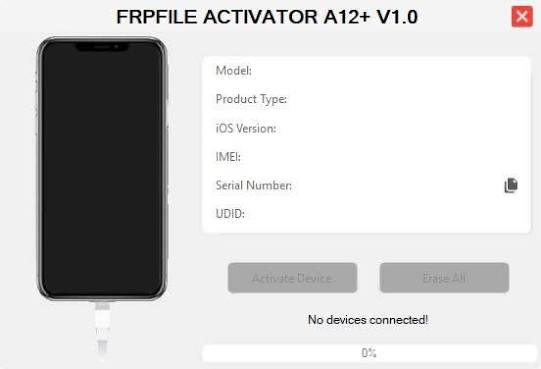
Preparing a Windows Computer:
A Windows PC used for iOS servicing should have a stable internet connection, sufficient storage, and the necessary Apple device drivers or supporting components.
A reliable USB cable should be used when a wired connection is required. Users should also close unnecessary device-management applications that could interfere with communication.
Preparing an iPhone or iPad:
Before performing any servicing operation, identify the exact device model and iOS version. If the device is still accessible, important information should be backed up before restoring or modifying it.
For devices protected by Activation Lock, the legitimate owner should have access to the Apple Account associated with the device. If the device was purchased second-hand, the previous owner may need to remove the device from their account before the new owner can complete activation.
Activation Lock and Responsible Use:
- Activation Lock is specifically intended to prevent unauthorized use of Apple devices. For this reason, tools advertised as bypass utilities should not be used to defeat Apple’s security protections on devices that do not belong to the user.
- If an owner encounters an Activation Lock screen, the safest solution is to use Apple’s official account-recovery and device-removal procedures or contact Apple Support with valid proof of ownership.
Troubleshooting Wi-Fi Problems:
If a supported iOS device cannot connect to Wi-Fi during setup, first verify that the network is functioning correctly. Try another trusted Wi-Fi network if available and make sure the router is not blocking required connections.
If the issue continues, restarting the device and checking its date, time, and network environment can help identify basic setup problems.
Troubleshooting Device Detection:
If Windows does not recognize an iPhone or iPad, check the USB cable and port and make sure the required Apple device components are installed.
A different USB port can also be tested. Windows Device Manager may provide additional information if the device appears with a driver error.
Why Technicians May Use Specialized iOS Tools?
Mobile repair technicians often need different tools for Android and Apple devices because their software architecture and security systems are different.
A specialized iOS utility can help organize device information, connectivity testing, and supported servicing tasks. However, no third-party application should be assumed to support every iPhone, iPad, or iOS version.
Compatibility:
Compatibility is especially important for iOS servicing. Apple regularly changes security mechanisms, setup workflows, device hardware, and software versions.
A utility that worked with an older iOS version may not work with a newer release. Technicians should therefore verify the exact device model and software version before relying on a particular tool.
Safety Precautions:
Always verify ownership before servicing an iPhone or iPad. Avoid attempting to circumvent Activation Lock on a device that you do not own or have permission to repair.
If the device belongs to a customer, request appropriate proof of ownership and use legitimate recovery procedures. Keep customer data private and avoid unnecessary restoration or data-erasing operations.
Final Words:
FRPFILE Bypass WiFi Tool V2.8 is associated with Wi-Fi-based iOS device servicing and Hello-screen workflows on supported Apple devices. Because the Hello screen can involve Apple’s Activation Lock security, users should distinguish between ordinary setup troubleshooting and account-protected activation. For legitimate devices, the recommended approach is to use authorized Apple account recovery, device-removal, or support procedures rather than attempting to defeat Activation Lock.