GSM Prime Tool Download Latest FRP Unlock For Samsung 2026 Updated
GSM Prime Tool Download Latest FRP Unlock for Samsung – Features and Complete Overview
Introduction to GSM Prime Tool
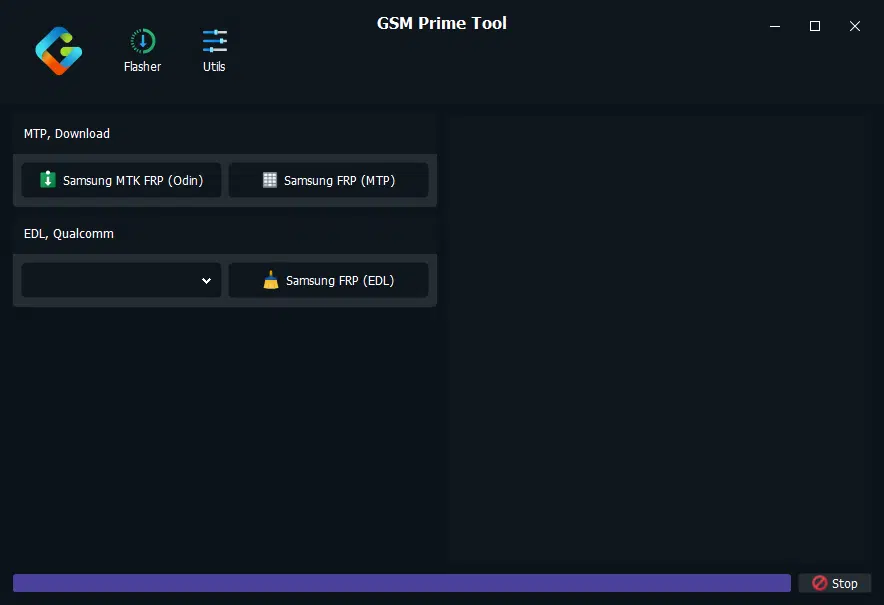
GSM Prime Tool Download is a Windows-based mobile servicing utility associated with Samsung Android device maintenance, troubleshooting, and Factory Reset Protection (FRP) servicing. It is commonly discussed in mobile repair communities as a tool for technicians who work with compatible Samsung smartphones and need assistance diagnosing certain software-related problems. Depending on the version and device configuration, published descriptions mention different servicing modes and repair options. However, compatibility can vary according to the phone model, processor, Android version, and installed security patch.
What Is FRP on Samsung Devices?
Factory Reset Protection is an Android security feature designed to help protect a device after it has been reset without first removing the associated Google account. During setup, the phone may request account credentials previously synchronized with the device. This protection helps prevent unauthorized use of lost or stolen phones.
If you own the Samsung device but cannot complete setup, the recommended first step is to recover the original Google account or contact Samsung support or an authorized repair provider. For second-hand devices, the previous owner should remove their account through the appropriate official process.
Main Features of GSM Prime Tool:
Samsung FRP Servicing
- GSM Prime Tool Download is primarily known in third-party mobile servicing discussions for its FRP-related functions on selected Samsung devices. Support is not universal, and results may differ between older and newer firmware versions. Always confirm compatibility before attempting any repair.
Support for Selected Device Platforms
- Published descriptions associate the utility with certain Samsung devices using MediaTek and Qualcomm platforms. Processor type alone does not guarantee compatibility; the exact model number, firmware build, and security patch are also important factors.
Windows-Based Interface
- The tool is distributed as desktop software for Windows computers rather than as a regular Android application. A compatible computer, a reliable USB cable, and suitable device drivers may be required for legitimate diagnostic or servicing tasks.
Device Troubleshooting
- Some community listings describe additional maintenance functions, including factory-reset-related servicing and assistance with certain software problems. The availability of individual functions depends on the specific build, and third-party claims should be verified before relying on them.
Technician-Oriented Workflow
- The utility is aimed at users familiar with Android servicing and device identification. Technicians should check the exact Samsung model and software details before selecting a repair utility. Incorrect operations can lead to data loss, boot problems, or a device that requires further professional recovery.
Compatibility and System Requirements:
GSM Prime Tool Download is generally described as Windows software. Before using any release, review the package documentation and verify the requirements for the specific version. Compatibility may depend on the following factors:
- Windows version and system architecture
- Samsung model number and processor platform
- Android version and security patch level
- Availability of appropriate USB drivers
- USB connection stability and device condition
- The particular tool release and its supported functions
No single version should be assumed to support every Samsung Galaxy phone or every Android security update. Features advertised by third-party download pages may be incomplete or outdated.
Download and Security Recommendations:
When looking for GSM Prime Tool, use a reputable source and check that the package matches the version described on the download page. The name of a file alone does not establish that it is genuine or safe.
Before opening downloaded software, scan the archive and its extracted files with a trusted security product. Do not disable Windows Defender or other antivirus protection simply because a download page recommends it. If the file produces suspicious alerts, stop and verify the source rather than ignoring the warning.
It is also advisable to keep a record of the device model and firmware information, back up accessible data, and avoid unverified files or instructions that promise universal unlocking.
Important Notes Before Servicing a Samsung Phone:
FRP is an ownership-protection feature, so any servicing should be performed only on a device you own or are explicitly authorized to repair. If the phone belongs to a business or organization, contact its administrator when device-management restrictions are involved.
For a device that remains locked after a factory reset, start with Google’s official account-recovery process. If the phone was purchased second-hand, ask the previous owner to complete the required account-removal process. Samsung support or an authorized repair center can help when account recovery is unsuccessful.
Advantages and Limitations:
GSM Prime Tool Download may be useful to experienced repair technicians who need a Windows-based utility for supported Samsung servicing tasks. Its appeal is that community releases may provide several functions in a single desktop interface.
Its limitations are equally important: support is model-specific, newer security updates may change compatibility, and unofficial packages can present security risks. A successful result is not guaranteed, and using an unsuitable operation may cause data loss or additional software problems.
Final Words:
GSM Prime Tool Download is a Samsung-focused mobile servicing utility discussed in the Android repair community, particularly for FRP-related troubleshooting on selected devices. Before choosing a release, verify its source, supported models, and system requirements. For account verification problems, official account recovery and authorized service channels remain the safest options. Careful preparation and responsible use can help reduce the risk of software damage and protect personal data.