 Posted by
Adobe After Effects Tool For Windows
Adobe After Effects Tool remains the ideal tool for creators looking to transform static images into cinematic experiences. Whether you are an independent content creator on YouTube or part of a large visual effects (VFX) studio, the software provides a comprehensive environment for motion work—offering advanced compositing capabilities, precise keyframe control, and the ability to craft visual effects that meet the highest industry standards.
Adobe excels at bridging the gap between graphic design and the art of cinema. Through its sophisticated layer-based system, it enables users to design complex animations, fine-tune 3D depth, and apply advanced visual effects that simpler applications cannot replicate.
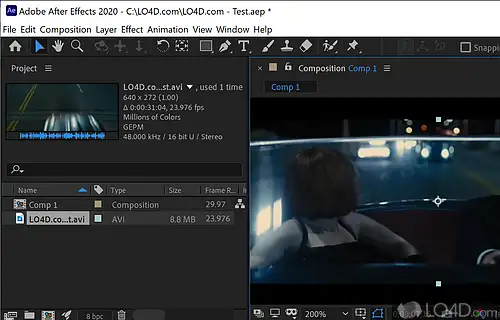
Creating Titles, Graphics, and Animations:
Adobe After Effects Tool allows you to design animated titles, lower thirds, intros, motion logos, and other graphical elements using layers of text, shapes, images, and video clips. You can start from scratch or utilize pre-made templates, customizing them—including colors, fonts, timing, and effects—to streamline the creation of visual identity elements for channels, brands, or audiovisual projects.
Precise Control via Keyframes and Expressions:
In Adobe After Effects Tool, you can animate the properties of any layer—such as position, scale, opacity, rotation, and more—using keyframes, which define how these properties change over time along the timeline. Furthermore, the “Graph Editor” and programmatic “Expressions” enable you to automate movements and generate diverse effects—such as bouncing, shaking, or complex patterns—without the need for manual frame-by-frame adjustment, providing you with granular control over animation dynamics.
Rotoscoping, Masking, and Motion Tracking:
Adobe After Effects Tool enables you to separate elements from their backgrounds using the AI-powered “Roto Brush” tool—even in scenes containing intricate details, such as hair blowing in the wind or semi-transparent objects. You can also create masks to isolate specific areas and apply effects exclusively to them, or track the movement of a particular object using built-in tracking tools. These are essential features for integrating effects or textures, or for replacing backgrounds in a professional and seamless manner.
3D Workspace and Built-in Effects:
Adobe After Effects Tool features a 3D workspace that allows you to position layers within the depth of a scene, add cameras and lighting, and simulate environments while accounting for perspective and shadows. Furthermore, the software provides hundreds of built-in effects—such as distortions, blurs, color adjustments, and transitions—and supports plug-ins that expand creative possibilities in video processing and composition. Integration within the Adobe Creative Cloud Ecosystem
Adobe After Effects is part of the Adobe Creative Cloud ecosystem, which facilitates the transfer of projects between various applications. For instance, you can begin a project in Premiere Pro, incorporate graphics created in Illustrator, and add dynamic transitions using Adobe After Effects. This streamlines the production of comprehensive campaigns, where editing is performed in Premiere Pro, while graphics, titles, and effects are designed in Adobe After Effects—ensuring a seamless workflow between the two applications.
Download Official Link👇