 Posted by
Adobe Photoshop CC For Windows
Adobe Photoshop CC For Windows has long been the preferred choice for both creative professionals and hobbyists who require tools for photo editing, graphic design, and multimedia work. The application offers advanced options for making adjustments, retouching images, creating visual compositions, and producing precise artwork, making it a versatile tool for both professional and personal projects.
Adobe Photoshop CC For Windows also plays a significant role in enhancing the creative workflow, providing users with precise control over layers, selections, and visual effects. The software supports cloud integration, which facilitates collaboration among team members, the synchronization of assets, and joint work on projects. With its high degree of customizability, responsive tools, and compatibility with standard file formats, the program is an ideal choice for projects involving photography, web design, and print.
Advanced Tools and Professional Capabilities:
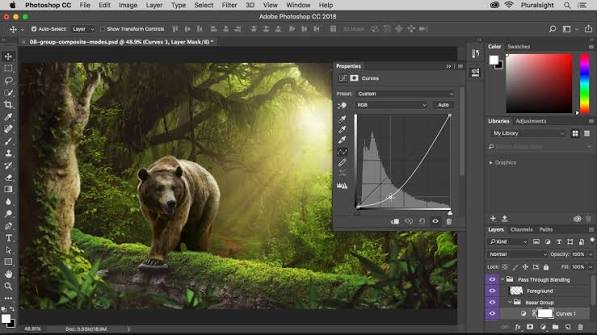
Adobe Photoshop CC For Windows features a comprehensive suite of editing tools, offering creators precise and detailed control over their images. The software utilizes a layer-based workflow, advanced selection tools, retouching brushes, and masking options—all of which enable users to perform high-level, professional-grade image editing. However, this abundance of features can be overwhelming for newcomers; mastering the full range of tools and techniques requires patience, practice, and gradual exploration to achieve professional-quality results.
The software’s performance is generally reliable when handling medium-sized files and routine editing tasks, providing smooth, real-time previews and efficient export processes. That said, the program may slow down during complex projects—such as those involving a large number of layers, high-resolution images, or intricate, detailed adjustments—particularly on devices with limited memory. While the software is efficient overall, large-scale projects may require additional processing time to ensure a smooth and effective workflow.
AI-Powered Creative Enhancements via Firefly Technology:
Recent updates to Adobe Photoshop CC For Windows have introduced powerful features driven by generative AI through Adobe Firefly technology, granting users significantly expanded creative capabilities. These include enhanced “Generative Fill” and “Generative Expand” tools, which allow users to quickly create or modify complex elements within images—delivering realistic results—using simple text prompts. Powered by AI, these tools enable users to adjust backgrounds, generate multiple image variations, and control textures and artistic styles, thereby streamlining workflows for artists and designers of all skill levels. These AI-driven tools are part of a broader initiative by Adobe to integrate generative models—safe for commercial use—directly into its core creative applications.
Project and Collaboration Tools:
Adobe has introduced a new feature in Photoshop called “Projects”—currently in its beta phase—designed to simplify the organization of and collaboration on creative projects. This feature allows users to consolidate assets, layers, and files into a shared workspace, eliminating the need to manage multiple folders or local storage drives. By bringing everything together in one place, the “Projects” feature facilitates teamwork and interaction with clients. It allows for the display of consistent versions of a project and helps avoid confusion regarding modifications made to files—a particularly useful feature for multi-layered campaigns or artistic projects that require collaboration.
Expanded Benefits within Creative Cloud Pro:
As the Creative Cloud Pro suite evolves, Photoshop users can take advantage of a broader range of performance and workflow enhancements across all Creative Cloud applications. Subscribers enjoy benefits such as access to over 30,000 fonts, unlimited library storage, and millions of high-resolution stock assets that can serve as a starting point for any creative project. Furthermore, performance improvements across various applications—including faster selection processes, more precise masking, and better integration with Lightroom and Adobe Express—help streamline daily tasks and boost productivity.
Download Official Link👇