 Posted by
Mysterious-dev Tool V1.1.4 Unlocking & Flashing Smartphones
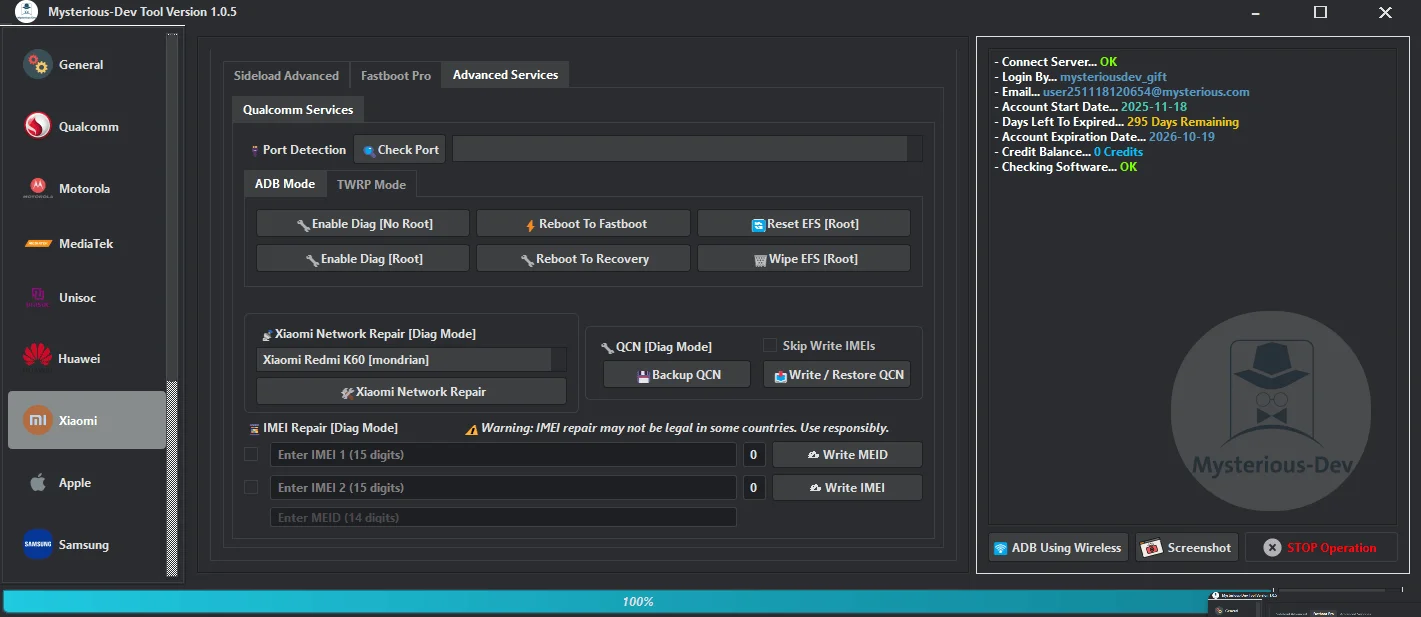
Mysterious-dev Tool V1.1.4 is a Windows-based mobile servicing utility designed for technicians working with compatible Android smartphones. It combines several advertised functions for device diagnostics, firmware flashing, bootloader management, and selected software repair operations. The tool is promoted for multiple brands and chipset platforms, including Samsung, Xiaomi, OPPO, Vivo, Realme, Qualcomm, MediaTek, and Unisoc devices. Actual functionality depends on the phone model, firmware version, security patch, and licence status.
What Is Mysterious-dev Tool V1.1.4?
Mysterious-dev Tool is an all-in-one Android servicing application intended to bring common maintenance tasks into one interface. Instead of using a separate utility for every supported operation, technicians can check device information and access compatible servicing options from a Windows computer.
The developer provides a supported-device database, which is useful for checking whether a particular model has the required features. Since support can vary considerably between devices, users should consult that database before attempting firmware maintenance or other repairs.
Key Features of Mysterious-dev Tool:
1. Firmware Flashing
- The Mysterious-dev Tool V1.1.4 advertises firmware flashing functions for selected supported devices. Firmware maintenance can help resolve certain software problems, failed updates, and boot issues when the correct firmware is used.
- Before flashing, verify the exact model number, regional variant, and firmware compatibility. Incorrect firmware or an interrupted operation can cause data loss or prevent the phone from booting.
2. Device Information and Diagnostics
- Compatible versions may provide device-identification and diagnostic functions. These help technicians identify the connected phone, check its platform, and select an appropriate maintenance procedure.
- Device detection may depend on USB drivers, the connection mode, and the phone’s software state.
3. Qualcomm Device Support
- Mysterious-dev Tool advertises selected Qualcomm servicing functions, including firmware and partition-related operations for supported models. Availability depends on the exact phone, security configuration, required drivers, and the tool’s licence.
- Technicians should confirm model-specific support before starting any operation involving device partitions or firmware.
4. MediaTek and Unisoc Compatibility
- Some releases also advertise features for MediaTek and Unisoc/Spreadtrum devices. These platforms use different servicing interfaces, so the available functions may vary between models even when they use processors from the same family.
- Check the supported-device database and required connection mode before attempting maintenance.
5. Bootloader and Software Maintenance
- The tool is promoted with selected bootloader-management and software repair functions. Availability depends on the device’s security state and manufacturer restrictions. Unlocking a bootloader may erase data and can affect device security or warranty coverage.
- Use official manufacturer procedures whenever they are available and appropriate.
6. FRP and Account-Related Troubleshooting
- Some releases advertise FRP-related servicing for compatible Android devices. Factory Reset Protection is designed to help protect a phone after a reset, and its availability varies by model and software version.
- If you are locked out of your own device, begin with Google’s official account recovery process. For a second-hand phone, ask the previous owner to remove their account properly. Third-party tools cannot guarantee successful recovery on every model or security patch.
7. Multi-Brand Device Support
- The supported-device database lists a wide range of models and servicing capabilities. However, general brand support does not mean that every model or every feature is available. Check the exact device entry and the required operation before relying on a particular capability.
System Requirements:
Before installing Mysterious-dev Tool V1.1.4, review the developer’s requirements. A typical servicing setup may need:
- A compatible Windows computer.
- Appropriate USB drivers for the connected phone.
- A reliable USB data cable.
- Stable internet access for online functions, if required.
- A supported device and connection mode.
- An active licence or other required authorization.
Download installation files from a source you can verify. Scan the package before opening it and avoid installers that request unrelated passwords or require disabling computer security protections.
Installation and Setup Preparation:
Confirm that the selected version supports your phone and Windows environment. Review the release documentation, install the required drivers, and prepare a stable USB connection before starting.
Back up important data whenever possible. Firmware flashing, formatting, and some repair functions may erase user information. Keep the device adequately charged and do not disconnect it during an active firmware operation.
Common Problems and Troubleshooting:
Device not detected: Check the USB cable, drivers, connection mode, and compatibility with the installed version.
Firmware flashing error: Verify the model number and firmware package. Do not repeatedly try firmware intended for a different device.
A feature is unavailable: Check the supported-device database, licence status, and version requirements.
FRP or account verification remains active: Use the official account recovery process or contact the previous owner or manufacturer with proof of ownership.
Installation or activation error: Confirm that the installer is authentic and that the required licence and system components are available.
Is Mysterious-dev Tool V1.1.4 Free?
Although some third-party listings describe the tool as free, the official Mysterious-Dev support information states that an active licence is required. Licensing plans and access conditions may change, so check the developer’s current terms before downloading or purchasing a plan.
Final Words:
Mysterious-dev Tool V1.1.4 is a multi-brand Android servicing utility promoted for firmware flashing, device diagnostics, bootloader management, and selected software maintenance operations. Its actual features depend on device compatibility, the installed version, and licensing requirements. Check the official supported-device database before installation, use verified software packages, and perform repairs only on devices you own or are authorized to service.